How AI Meeting Tools Handle Your Client Data: A Security Comparison
Spencer Gauta
June 26, 2025
"We're SOC 2 certified."
That's the line every AI meeting tool vendor leads with. It sounds reassuring. It implies security, compliance, trustworthiness.
But here's what most financial advisors don't realize: SOC 2 only certifies how a vendor stores data. It says nothing about whether they should be storing it at all.
If you're evaluating AI meeting assistants for your practice, the security question isn't just "Is the vendor secure?" It's "What is the vendor doing with my client data, and do I even want them to have it?"
This guide breaks down how different AI meeting tools handle client data, what the security models actually mean, and which approach makes sense for financial advisors operating under SEC and FINRA oversight.
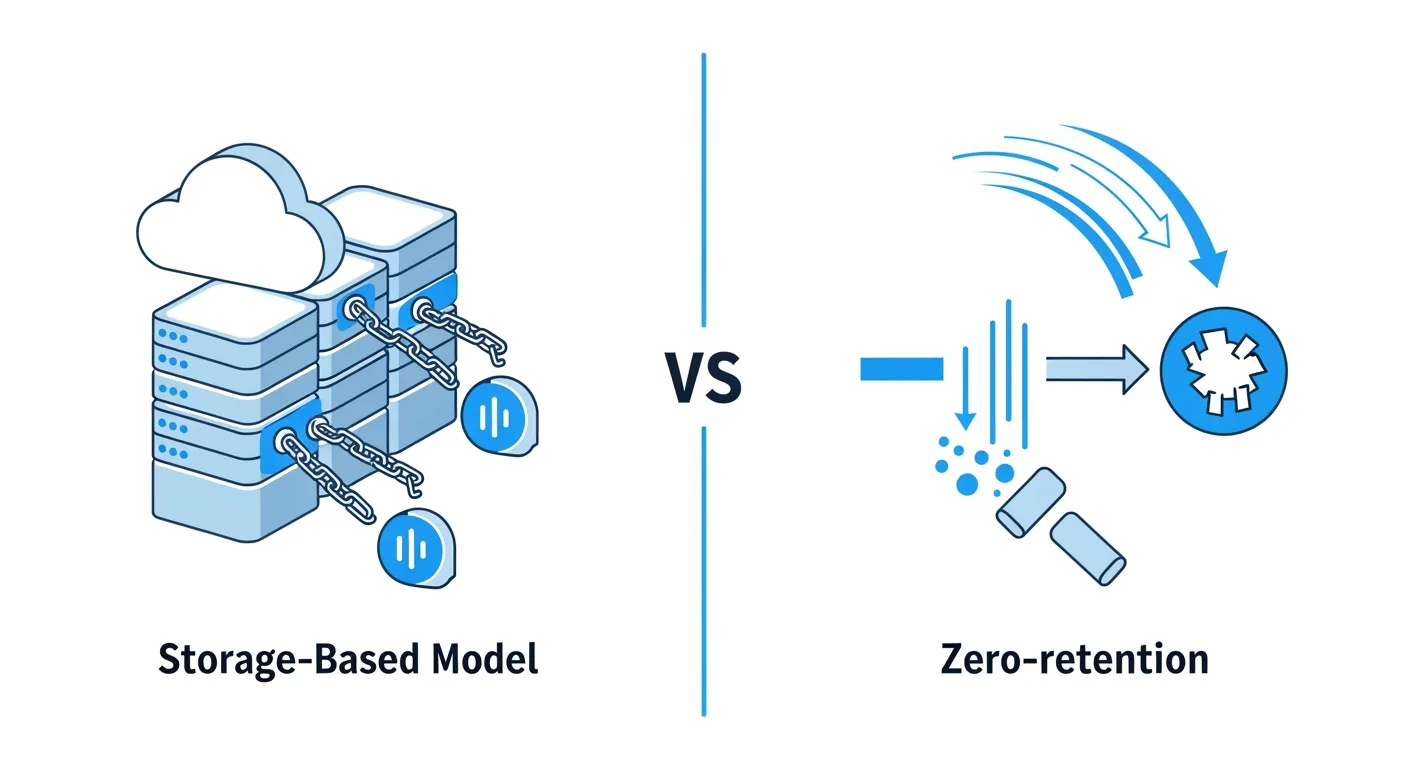
The Two Data Handling Models
Every AI meeting assistant falls into one of two categories:
Model 1: Storage-Based (Most AI Tools)
How it works:
- The tool records your meeting (audio/video)
- The recording is uploaded to the vendor's cloud servers
- The vendor transcribes and processes the recording on their infrastructure
- The transcript, recording, and extracted data are stored on the vendor's servers
- You can access this data through the vendor's app or dashboard
Data flow: Your meeting -> Vendor's cloud -> Vendor's database -> Stored indefinitely (or until you manually delete)
Examples: Otter.ai, Fireflies, Fathom, Grain, most general-purpose AI meeting assistants
The appeal:
- You can go back and listen to old meetings
- Searchable transcript library
- Easy to share recordings with team members
- No risk of losing data
The compliance problem:
- Client data is stored on a third-party server, creating a retention liability
- Data may be retained longer than your firm's data retention policy allows
- You're trusting the vendor's security posture (and hoping they never get breached)
- If the vendor is acquired, goes out of business, or changes terms, your client data is in play
Model 2: Zero-Retention (Rare, Built for Compliance)
How it works:
- The tool processes your meeting in real-time (either client-side or in ephemeral compute environments)
- Extracted data (notes, CRM fields, action items) is sent directly to your systems
- The source recording and transcript are permanently destroyed, usually within minutes
- Nothing is retained by the vendor
Data flow: Your meeting -> Real-time processing -> Sync to your CRM/storage -> Source data destroyed
Examples: AI Secretary, select enterprise compliance-focused tools
The appeal:
- No retention liability. Data doesn't exist to be breached or subpoenaed
- Aligns with data minimization best practices
- Easier to defend in regulatory exams
- No vendor lock-in (you own all processed outputs)
The trade-off:
- You can't go back and replay meetings through the vendor's app (but you can save recordings to your own storage if needed)
- Requires trust that the vendor's extraction is accurate (but so does storage-based. You're trusting their AI either way)
Security Certifications: What They Actually Mean
SOC 2 Type II
What it certifies: The vendor has controls in place for security, availability, processing integrity, confidentiality, and privacy.
What it does NOT certify:
- How long data is retained
- Whether data is used for training
- What happens to data if the vendor is acquired
- Whether the vendor's architecture minimizes risk
Bottom line: SOC 2 proves the vendor is good at storing data securely. It doesn't prove they should be storing your data.
ISO 27001
What it certifies: The vendor has an information security management system (ISMS) that meets international standards.
What it does NOT certify:
- Data retention policies
- Whether client data is siloed from other customers
- Incident response SLAs
Bottom line: Another "we store data securely" certification. Still doesn't address whether storage is necessary.
HITRUST
What it certifies: The vendor meets healthcare-level security and privacy standards (built on HIPAA requirements).
Why it matters: This is more rigorous than SOC 2. HITRUST includes data minimization and breach notification requirements.
Bottom line: A stronger signal than SOC 2, especially if the vendor serves healthcare clients. But still assumes data storage is necessary.
Zero-Retention Architecture
What it certifies: The vendor's system is designed to not retain data, period. This isn't a certification (yet). It's an architectural design.
Why it matters: It eliminates the risk at the source. If data isn't stored, it can't be breached, subpoenaed, or misused.
Bottom line: The only model where compliance is embedded in the architecture, not just the policy.
Comparison: Storage-Based vs. Zero-Retention
| Factor | Storage-Based AI Tools | Zero-Retention AI Tools |
|---|---|---|
| Data Retention | Indefinite (or until manual deletion) | Destroyed after processing (seconds to minutes) |
| Compliance Liability | High. Data exists on third-party servers | Low. Data never retained by vendor |
| Breach Risk | Vendor's database is a target | No database to breach (source data is gone) |
| Audit Defense | "We trust the vendor's security" | "We don't retain data. Nothing to audit" |
| Subpoena Risk | Vendor can be compelled to produce data | Nothing to produce (data was destroyed) |
| Vendor Lock-In | High. Data lives in vendor's system | Low. You own all outputs |
| Client Replay | Can replay meetings through vendor app | Can save to your own storage if needed |
| Training/Model Improvement | Often uses your data (check terms) | Can't use data that doesn't exist |
| Deletion Verification | Manual requests, often unclear | Automatic, can provide deletion logs |
| SEC/FINRA Exam Risk | Must demonstrate vendor oversight | Architecture demonstrates compliance |
Real-World Data Handling Practices (What Vendors Don't Advertise)
Most AI meeting tools are vague about data handling in their marketing. Here's what you'll find if you read the terms of service:
Vendor A (Major AI Meeting Assistant):
"We retain audio recordings, transcripts, and metadata for as long as your account is active, plus an additional 90 days after deletion requests for backup and recovery purposes."
Translation: Your client data sits on their servers indefinitely, and even after you "delete" it, it's still in backups for 3 months.
Vendor B (Financial Advisor-Focused Tool):
"We use aggregated and anonymized data to improve our models and train future AI systems. You may opt out by contacting support."
Translation: They're using your client conversations to train their AI, unless you notice this buried in the terms and manually opt out.
Vendor C (Consumer Transcription Tool):
"Data may be shared with third-party service providers to deliver our services, including cloud hosting providers, analytics platforms, and customer support tools."
Translation: Your client data isn't just with this vendor. It's flowing to multiple third parties.
Vendor D (Zero-Retention Model):
"Source audio and transcripts are processed in ephemeral compute environments and permanently destroyed within 3 minutes of meeting completion. We do not retain, store, or back up source data. Processed outputs (case notes, CRM data) are transmitted directly to your designated systems."
Translation: They never store your data. Full stop.
What Financial Advisors Should Prioritize
If you're evaluating AI meeting tools, here's the security hierarchy (from most to least important):
1. Data Retention Policy
Ask: How long is client data stored? Can I verify deletion?
This is the #1 compliance risk. If the vendor stores data indefinitely, you're creating a retention liability that may conflict with your firm's data retention policy and Reg S-P obligations.
Red flags:
- "As long as necessary"
- "Until you delete it" (puts burden on you to remember)
- No deletion logs or verification available
Green flags:
- Specific retention window (e.g., "30 days")
- Automatic deletion with logs
- Zero-retention architecture (never stored)
2. Data Usage for Training
Ask: Do you use client data to train AI models?
If the vendor uses your data to improve their product, client information is being repurposed beyond its original intent, and you may not be able to comply with Reg S-P's requirement to notify clients before sharing their data.
Red flags:
- Opt-out model (using data by default unless you object)
- Vague language: "may use aggregated data"
- No clear policy disclosed
Green flags:
- Explicit statement: "We do not use customer data for training"
- Opt-in model (requires affirmative consent)
- Zero-retention (can't train on data that doesn't exist)
3. Security Certifications
Ask: What certifications do you hold? When were they last audited?
SOC 2 Type II is the baseline. ISO 27001 or HITRUST is better. But remember: these certifications only matter if you're okay with the vendor storing data in the first place.
Red flags:
- No certifications
- "SOC 2 Type I" (one-time assessment, not ongoing)
- Certification expired or lapsed
Green flags:
- SOC 2 Type II (annual audits)
- ISO 27001, HITRUST, or FedRAMP
- Public audit reports available
4. Data Location and Jurisdiction
Ask: Where is client data stored geographically?
Some vendors store data internationally, which can trigger additional privacy law compliance (GDPR, data localization rules).
Red flags:
- Data stored outside the U.S. (if your clients are U.S.-based)
- "It depends on which cloud region has capacity"
- Can't specify data location
Green flags:
- U.S.-only storage (or region-specific options)
- Specific cloud provider and region disclosed
- Zero-retention (no storage = no geographic risk)
5. Incident Response and Breach Notification
Ask: If you're breached, how quickly will you notify us?
Some vendors take 30-90 days to notify customers of breaches. That delay can put you out of compliance with state breach notification laws and the SEC's cybersecurity rule.
Red flags:
- "As soon as reasonably practicable" (legal speak for "whenever")
- No SLA disclosed
- Breach notification buried in terms
Green flags:
- Specific SLA (e.g., "within 48 hours")
- Dedicated security contact for incident response
- Zero-retention (nothing to breach)
6. Vendor Stability and Ownership
Ask: What happens to our data if your company is acquired or shuts down?
AI companies are being acquired at a rapid pace. When that happens, customer data often transfers to the new owner, and their terms of service may be very different.
Red flags:
- "Data may be transferred as part of a business transaction"
- No advance notice required
- No option to request deletion before transfer
Green flags:
- Commitment to notify customers before data transfer
- Option to export or delete data before acquisition
- Zero-retention (nothing to transfer)
Common Security Misconceptions
Misconception 1: "Encrypted data is safe data"
Reality: Encryption protects data in transit and at rest. But if a vendor's database is breached and the attackers gain access to decryption keys (which happens), encrypted data becomes readable.
Zero-retention eliminates this risk by not storing the data at all.
Misconception 2: "We delete our data after 90 days, so we're compliant"
Reality: Even temporary storage creates risk. A breach can happen in the first 90 days. A subpoena can request data during that window. And if your firm's retention policy is shorter, you're out of alignment.
Zero-retention eliminates the window entirely. Data is destroyed in minutes, not months.
Misconception 3: "The AI needs to store data to improve accuracy"
Reality: Some AI tools require stored data for training. Others (especially zero-retention models) are pre-trained on public datasets and don't need customer data to improve.
If a vendor insists they "need" to store your data, ask: "Why? What are you using it for?"
Misconception 4: "If the vendor is SOC 2 certified, we're covered in an audit"
Reality: SOC 2 means the vendor has good security controls. It doesn't mean you're absolved of responsibility for vendor oversight.
FINRA and the SEC still expect you to demonstrate due diligence, ongoing monitoring, and alignment with your firm's policies. SOC 2 is evidence. It's not a free pass.
The Compliance Officer's Evaluation Checklist
If you're a CCO evaluating AI meeting tools, here's your shortlist:
Tier 1 (Must Answer)
- Where is client data stored? (Cloud provider, region, encryption standards)
- How long is data retained?
- Can you provide deletion logs or verification?
- Do you use client data to train models?
- What happens to data if you're acquired or shut down?
Tier 2 (Important)
- What security certifications do you hold? (SOC 2, ISO 27001, HITRUST)
- What is your breach notification SLA?
- Can we limit what data the tool accesses?
- Do you share data with third-party subprocessors? (If so, who?)
- Can we export all client data on demand?
Tier 3 (Nice to Have)
- Do you offer dedicated/single-tenant deployments?
- Can we configure custom retention policies?
- Do you provide audit logs of data access?
- Do you have cyber insurance? (What coverage?)
The ideal answer to all Tier 1 questions: "We don't store client data. Zero-retention architecture."
The Bottom Line: Security Is About Architecture, Not Just Certifications
Financial advisors face a unique compliance burden. You're responsible for client data, not just while it's in your office, but wherever it flows.
When you choose an AI meeting tool, you're choosing a data handling philosophy:
Storage-based: "Trust us to store your data securely."
Zero-retention: "We don't store your data, so there's nothing to trust."
One model asks you to evaluate the vendor's security posture, monitor for breaches, and hope nothing goes wrong.
The other eliminates the risk at the source.
Both can work. But only one is designed for advisors who can't afford retention liabilities.
Free Resource
AI Vendor Security Questionnaire
20 questions to ask any AI vendor before giving them access to client data. Covers data retention, encryption, compliance, and breach notification.
Download FreeReady to try AI Secretary?
Start your 14-day free trial. No credit card required.
Start Your Free Trial